Best Images, Video & Audio Resources for Vibe Coders
Updated 19/10/2026
This guide is for people who build with an AI agent and now want visuals or sound: a promo video, captions, a game sprite, a diagram or a music track. You do not need a media background. Most picks below are labeled safe and score 90 or higher.
These resources let your agent do real media work from chat. They can edit and caption video, generate images, draw diagrams, make pixel art or control music software. Some need an API key or a desktop app installed first, and we say so where the data shows it.
- SkillSafe
OpenCreator
krillinai
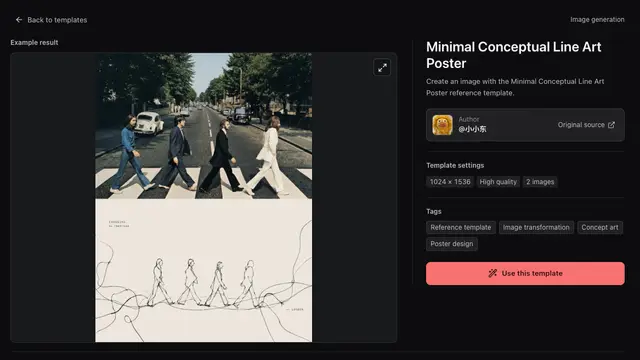
Provides an open-source AI workspace for agents to create and edit videos, images, voiceovers, and avatars, alongside content writing and translation.
14kApache-2.0#1 · Why we picked it
An all-in-one workspace for video, images, voiceovers and avatars, rated safe, beginner level and 95 quality. - MCP serverSafe
Concat
jub0t
A free, open-source video editor and CapCut alternative that agents can integrate with via MCP to automate video tasks.
11kAGPL-3.0#2 · Why we picked it
A free, open-source CapCut alternative that agents can drive over MCP for captions, text-to-speech and short social clips. - PluginSafe
ffmpeg-skill
kajisho5
Gives coding agents 42 local FFmpeg tools for video editing, audio normalization, captioning, and format conversion.
2kMIT#3 · Why we picked it
42 local FFmpeg tools for captions, silence removal, loudness fixes and 9:16 reframing, so files stay on your machine; intermediate level. - PluginSafe
video-shotcraft
Vincentwei1021
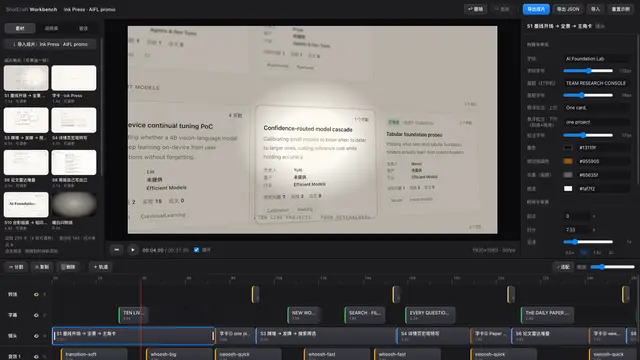
This AI agent skill enables Claude Code and Codex to craft cinematic product videos with Remotion, utilizing over 150 shot recipe cards and motion previews.
12kApache-2.0#4 · Why we picked it
Uses Remotion and 150+ shot recipe cards to make polished product videos; best if you are comfortable with a bit of setup. - PluginSafe
GPT-Image2-Skill
wuyoscar
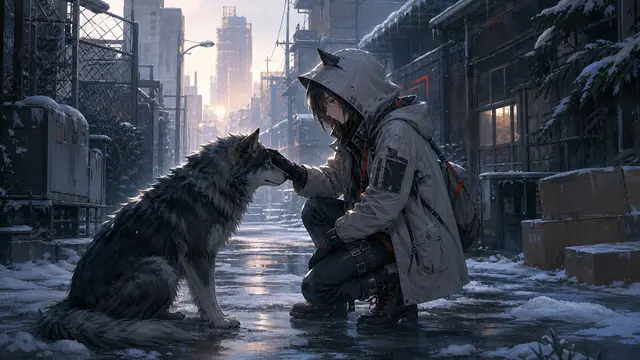
A collection of agent skills and a CLI for GPT Image 2/2.5, featuring a prompt gallery, reference images, and capabilities for image generation and editing.
5.6kMIT#5 · Why we picked it
Adds image generation and editing to Claude Code with a prompt gallery; it targets GPT Image, so expect to need an API key (check its README). - MCP serverSafe
ableton-mcp
ahujasid
Allows an AI agent to control Ableton Live, enabling prompt-driven music production, track creation, and arrangement manipulation.
3.1kMIT#6 · Why we picked it
Lets your agent create tracks and arrange songs in Ableton Live; you need Ableton installed, and it is intermediate level. - PluginSafe
next-ai-draw-io
DayuanJiang
An MCP server that lets your agent draw and edit professional draw.io architecture diagrams and flowcharts using simple chat commands.
36kApache-2.0#7 · Why we picked it
Draws and edits draw.io diagrams from chat, with 36k stars, a safe label and beginner level.
How to choose
- Start with the job: video editing (Concat, ffmpeg-skill), generated video (OpenCreator, video-shotcraft), images (GPT-Image2-Skill), music (ableton-mcp) or diagrams (next-ai-draw-io).
- Check the level. Beginner picks need less setup. Intermediate ones such as video-shotcraft and ffmpeg-skill expect you to run tools and read logs.
- Look for outside requirements. Some tools need desktop software (Ableton Live) or an AI service key. Read the README before you install.
- Prefer the safe label. mcp-for-blender is a popular Blender bridge but is marked caution, so review what it can access before using it.
FAQ
What is the easiest way to add captions to a video?
Concat is beginner level and can generate captions from audio. ffmpeg-skill also makes animated captions and runs locally, but it is intermediate level.
Do I need to know video editing to use these?
No. You describe what you want in chat and the agent runs the tools. Knowing basic terms like aspect ratio or timeline still helps you give clearer instructions.
Can an agent make music for me?
With ableton-mcp it can create tracks and arrange clips inside Ableton Live. You need Ableton installed, and results depend on your prompts.
Why is Blender not in the top picks?
mcp-for-blender is popular and scores 90, but its safety label is caution. We prefer safe resources for beginners. Review it carefully if you need 3D work.