Best UI & Design Resources for Vibe Coders
Updated 23/10/2026
This guide is for vibe coders who can describe what they want but do not have a design background. AI agents often produce generic, messy layouts. The resources below give your agent better taste, clearer rules and visual checks.
They help you copy a reference style, build wireframes and prototypes, keep colors and type consistent, draw diagrams and find icons. All picks here are labeled safe and rated beginner-friendly.
- PluginSafe
taste-skill
Leonxlnx

Gives coding agents 'taste' by providing art direction, reference images, and automated browser-based visual checks.
102kMIT#1 · Why we picked it
Safe, quality 95 and beginner level; it adds art direction, reference images and real-browser checks so your landing pages stop looking generic, though the browser checks may need some setup. - SkillSafe
design-dna
zanwei
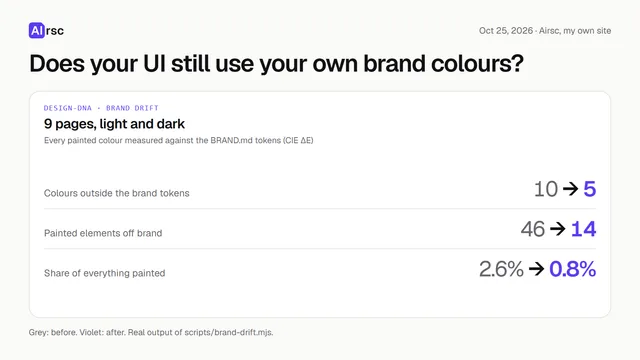
This agent skill extracts quantified Design DNA from reference UIs (images, screenshots, URLs) and uses it to generate matching UI components and styles from user content.
1.9kMIT#2 · Why we picked it
Safe, quality 98 and beginner level; give it a screenshot or URL and it pulls out the style so new UI can match it. - PluginSafe
ux-ui-agent-skills
plugin87
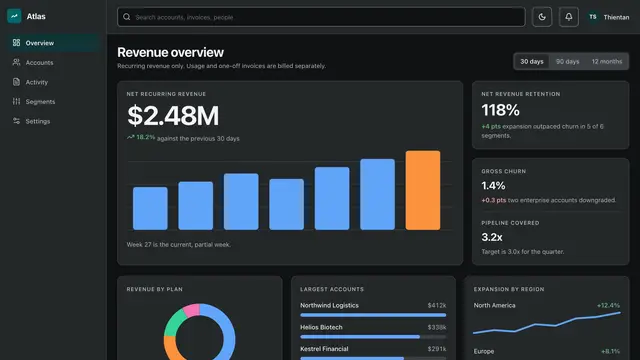
A comprehensive kit of structured instructions and design systems that turns Claude into a senior design architect for consistent, accessible UI/UX outputs.
1.5kMIT#3 · Why we picked it
Safe, quality 95 and beginner level; it turns Claude into a design guide with design tokens and accessibility checks against WCAG 2.2. - PluginSafe
styleseed
bitjaru
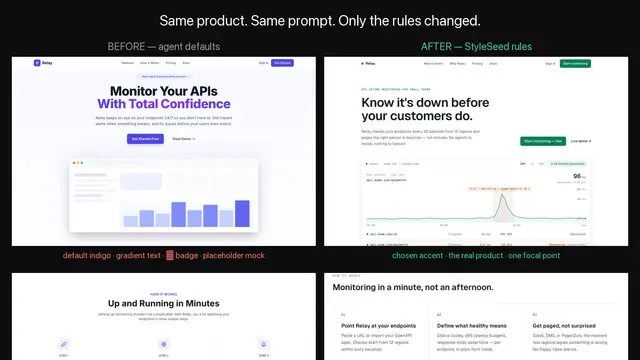
StyleSeed provides 23 agent skills to enforce design judgment, implement semantic palettes, and ensure evidence-verified UI consistency for AI coding agents.
967MIT#4 · Why we picked it
Safe, quality 95 and beginner level; its 23 skills keep colors, type and brand rules consistent across the code your agent writes. - PluginSafe
effective-html
plannotator
This plugin offers agent skills for creating useful HTML artifacts, including wireframes, interactive prototypes, plans, and diagrams, for design and visualization.
3.7kMIT#5 · Why we picked it
Safe, quality 95 and beginner level; it makes wireframes and interactive prototypes as single HTML files, a cheap way to test a layout before building. - PluginSafe
diagram-design
cathrynlavery
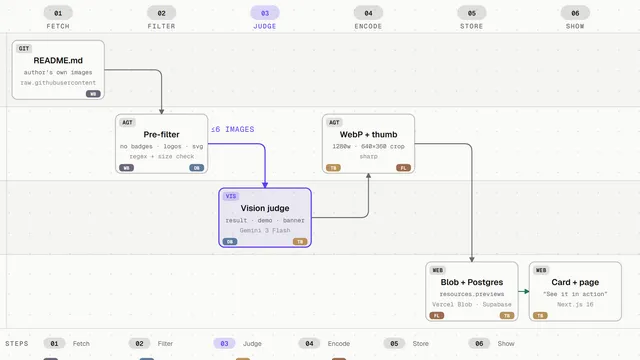
Enables your agent to generate editorial-quality diagrams in various types using self-contained HTML+SVG, without generic or messy outputs.
60kMIT#6 · Why we picked it
Safe, quality 95 and beginner level; it draws clean HTML+SVG diagrams such as architecture and user journeys, and can restyle Mermaid or Draw.io files. - PluginSafe
logo-design-skill
kaankiziltug
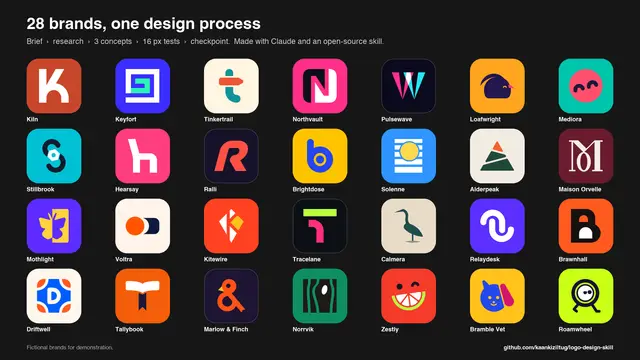
This skill provides AI agents with comprehensive knowledge, tools, and a reference library for designing production-ready SVG logos.
2.1kMIT#7 · Why we picked it
Safe, quality 95 and beginner level; it helps an agent draft SVG logo concepts from a brief and audit them against design principles. - MCP serverSafe
dashboard-icons
homarr-labs
Search and retrieve over 3,400 icons and logos with CDN links via an MCP server for your AI coding agent.
8.9kApache-2.0#8 · Why we picked it
Safe, quality 92 and beginner level; this MCP server lets Claude search over 3,400 icons and logos, but you must add it to your agent's MCP setup first.
How to choose
- Have a reference site or screenshot? Start with design-dna. No reference? Start with taste-skill or ux-ui-agent-skills.
- Want to test a layout before coding? Use effective-html for wireframes and prototypes.
- Colors and fonts keep drifting? Add styleseed to enforce one set of rules.
- Check the setup note first. An MCP server like dashboard-icons needs to be added to your agent config, while skills are usually simpler to install.
- Prefer the safe label. Anything labeled caution needs a careful read of its code and permissions before you install it.
FAQ
Do I need design experience to use these?
No. Every pick here is rated beginner level. You describe what you want in plain words, and the skill or plugin guides the agent.
Can I use several of these together?
Yes, but start with one or two. For example, pair design-dna for the look with effective-html for a quick prototype. Adding too many can make results harder to predict.
What does the safety label mean?
Airsc checks each resource and labels it. All picks in this guide are marked safe. Still, read what any tool asks permission for before you install it.
Which one is best for accessibility?
ux-ui-agent-skills is the clearest fit. Its listed use cases include meeting WCAG 2.2 AA to AAA standards.