Best Building web & mobile apps resources for vibe coders
Updated 23/10/2026
This guide is for vibe coders who want to ship a website or a mobile app with an AI agent, without being an expert. Most picks here are rated safe and beginner level. A few need a free account or a local tool first, and we say so.
These resources help your agent scaffold a project, deploy it, and test it on a phone or simulator. Start with one that matches your stack. Add a testing tool later, once you have something running.
- PluginSafe
skills
expo
Official AI skills for building, deploying, and debugging Expo and React Native apps.
2.7kMIT#1 · Why we picked it
Official Expo skills with the top quality score (98) and beginner level, covering SDK upgrades, EAS builds and React Native debugging; EAS builds need an Expo account. - PluginSafe
claude-skills
jezweb
This package provides a collection of Claude Code skills for full-stack development, including web app scaffolding, UI design, and deployment automation.
1kMIT#2 · Why we picked it
Beginner-level, safe skills that scaffold a Vite + React app, set up Tailwind and shadcn/ui, and deploy to Cloudflare, which needs a Cloudflare account. - PluginSafe
skills
juliobsz
Build high-quality, professional websites from a single line of text through your coding agent.
658MIT#3 · Why we picked it
The simplest way to get a landing page or portfolio from one line of text, and it can also score an existing site; safe and beginner level. - Cursor ruleSafe
lovable-boilerplate
chihebnabil
This React boilerplate is inspired by Lovable AI's no-code generation, providing a clean, customizable codebase structured for seamless integration with GitHub Copilot and other AI coding assistants.
65MIT#4 · Why we picked it
A clean React starter with shadcn/ui and Tailwind that works with AI coding assistants, good if you already have a no-code app and want to extend it. - PluginSafe
claude-skills
rampstackco
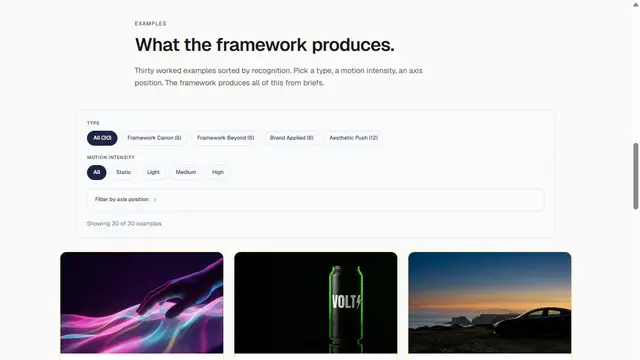
Provides a comprehensive library of 103 stack-agnostic Claude Skills to manage the full lifecycle of building, launching, running, and growing websites and brands.
934MIT#5 · Why we picked it
103 stack-agnostic skills for the whole life of a site, from brand and copy to SEO audits and deployment; the SEO audit uses an Ahrefs MCP, which may need an Ahrefs account. - PluginSafe
ios-simulator-skill
conorluddy
This Claude skill allows AI agents to build, test, and interact with iOS applications using Xcode and the iOS Simulator, parsing results effectively.
1.3kMIT#6 · Why we picked it
Lets the agent build, test and tap through your iOS app in the simulator and read build logs; it needs a Mac with Xcode, so it is intermediate. - MCP serverSafe
Android-MCP
CursorTouch
An MCP server that enables AI agents to interact with Android devices, performing tasks like app navigation, UI interaction, and automated QA testing.
881MIT#7 · Why we picked it
An MCP server that lets the agent drive an Android device for QA testing or app demos; you need a device or emulator connected and some setup. - MCP serverSafe
magic
polterguy
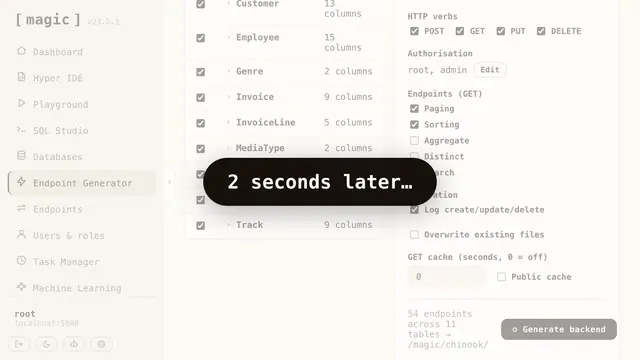
This tool generates instant, secure full-stack applications and AI agents from plain English, running on your hardware, and functions as an MCP server exposing endpoints to agents like Claude and Cursor.
1.2kMIT#8 · Why we picked it
Generates a full-stack app with database, API and frontend from plain English and runs on your own machine; safe, but intermediate and needs local setup.
How to choose
- Match your stack first. Use Expo skills for React Native, the Jezweb skills for Vite + React, and the iOS or Android tools for testing.
- Prefer the safe label and beginner level if this is your first project. Move to intermediate tools once the basics work.
- Check what you need before installing: an Expo, Cloudflare or Ahrefs account, a Mac with Xcode, or an Android device.
- Install one resource at a time. It is easier to see what each one changes in your project.
FAQ
Which resource should a complete beginner start with?
For a website, try juliobsz-skills or jezweb-claude-skills. For a mobile app, try expo-skills. All three are safe and beginner level.
Do I need to pay or add API keys?
The resources themselves are listed without a price here, but some workflows rely on outside services such as Expo EAS, Cloudflare or Ahrefs. Check each service's own plan and account needs.
Can I test my mobile app with an agent?
Yes. ios-simulator-skill covers iOS through Xcode and the simulator, and Android-MCP covers Android devices. Both are intermediate and need some setup.
Why are some larger skill packs not on this list?
Some, like Startup_builder_pro and spellbook, carry a caution safety label. We left them out so beginners start with safer options. Review them carefully before use.