claude-obsidian
AgriciDaniel · AgriciDaniel/claude-obsidian
Cho phép Claude Code xây dựng cơ sở tri thức Obsidian tự tổ chức từ bất kỳ nguồn nào, tạo các ghi chú Markdown được liên kết và câu trả lời dựa trên vault của bạn.
Self-organizing AI second brain for Obsidian + Claude Code. Drop any source and Claude reads, links, and files it into one connected knowledge graph of plain Markdown you own. AI note-taking, personal knowledge management (PKM), and an open-source Notion alternative. Based on Karpathy's LLM Wiki pattern.
Xem kết quả thực tế
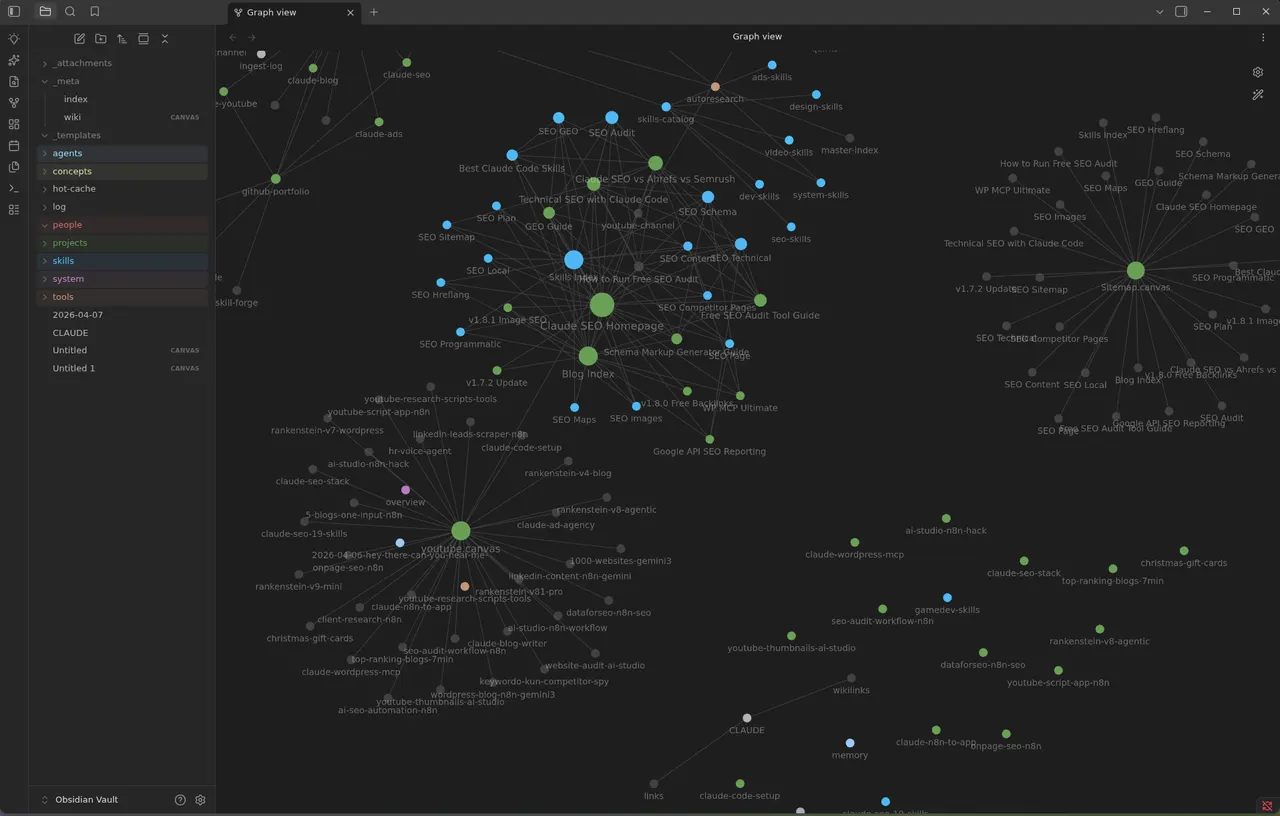
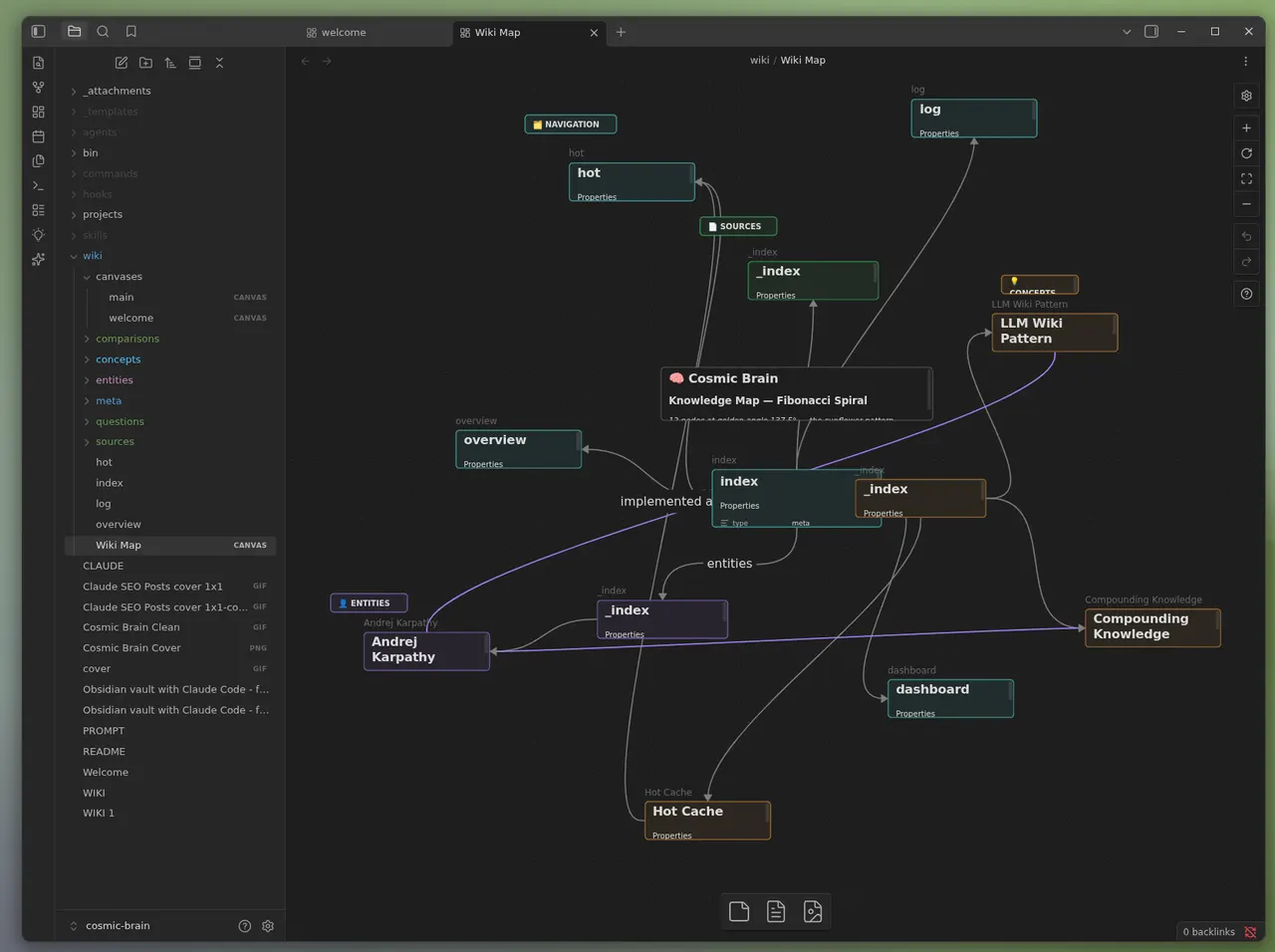
Ảnh từ README của tác giảChế độ xem Graph trong Obsidian hiển thị cơ sở tri thức được xây dựng với Claude
Ảnh từ README của tác giả AgriciDaniel ·Nguồn
Bạn có thể làm gì với nó
- Xây dựng kho lưu trữ nghiên cứu cá nhân được hỗ trợ bởi AI bằng cách cung cấp cho Claude Code nhiều bài báo và tài liệu.
- Tổ chức tài liệu dự án thành một biểu đồ tri thức liên kết mà Claude có thể truy vấn để tìm câu trả lời.
- Tạo một 'bộ não thứ hai' liên tục phát triển, ghi nhớ ngữ cảnh và nguồn gốc cho AI agent của bạn.
Kiểm tra an toàn
Không thấy dấu hiệu rủi ro trong các file đã quét.
Quét tự động các file trong repo. Luôn xem lại code trước khi chạy.
Trích từ README
claude-obsidian
Your AI second brain for Obsidian, built for Claude Code. Drop in sources. Get a connected wiki that grows every time you use it.
Install · See the vault · Skills · Agents · Safety · Modes · FAQ
claude-obsidian turns the things you read into a knowledge base that keeps getting more useful. Drop a paper, an article, a transcript or your own notes into the vault, and Claude reads them, writes linked notes with sources, and files everything into one connected knowledge graph you can explore in Obsidian.
- Capture. Put sources in
inbox/. The originals are kept, untouched, so every summary can point back to where it came from. - Connect. Claude writes linked pages, indexes and maps of content, so new ideas join the graph instead of piling up.
- Ask. Get answers from what your vault already knows, with citations, without changing a single file.
- Save. Keep the answers worth keeping as notes, one at a time, when you ask.
- Check. A health check finds dead links, orphan pages and gaps before they spread.
Everything stays as plain Markdown files on your computer. No cloud database, no lock-in, no telemetry. Apart from the AI tool you chat with, nothing leaves your machine unless you say so.
See the vault
The result is a normal Obsidian vault that stays useful with or without an AI: browse it in Graph view, or lay it out as a map in Obsidian Canvas.
Linked notes in Graph view · A knowledge map in Obsidian Canvas
Install
You need Claude Code, Python 3.11 or newer and, for the visual side, Obsidian. Install the plugin with two commands:
claude plugin marketplace add AgriciDaniel/claude-obsidian
claude plugin install claude-obsidian@agricidaniel-claude-obsidian
Then open the folder you want as your vault and start Claude Code there:
claude                                   # start Claude Code in your vault folder

/claude-obsidian:wiki                    # set up the vault (shows you a preview first)
/claude-obsidian:wiki-ingest             # turn what is in inbox/ into linked notes
/claude-obsidian:wiki-query              # ask a question, answered from your notes
/claude-obsidian:save                    # keep a good answer as a note
/claude-obsidian:wiki-lint               # health check: dead links, orphans, gaps
Open the same folder in Obsidian with Open folder as vault to browse your notes as they grow.
Already have an Obsidian vault? /claude-obsidian:wiki can adopt it without moving your notes. The installation guide walks through it.
Other AI tools: Codex, OpenCode, Gemini, ZCode, Cursor and Windsurf
claude-obsidian is a set of Agent Skills, so it also runs in other hosts. From a copy of this repo, preview the setup, then apply it:
git clone https://github.com/AgriciDaniel/claude-obsidian.git
cd claude-obsidian
bash scripts/setup-multi-agent.sh --host codex            # preview, writes nothing
bash scripts/setup-multi-agent.sh --host codex --apply    # link the skills
Use --host opencode, --host gemini or --host zcode the same way. Cursor and Windsurf need a workspace: --host cursor --host windsurf --workspace <folder> --apply. Every host is covered in the installation guide.
Windows
On Windows, use WSL for anything that writes to the vault. Native Windows can inspect and preview, and stops with a clear error instead of writing. The Windows and WSL guide has the details.
Upgrading from 2.x or 3.0.0
claude plugin marketplace update agricidaniel-claude-obsidian
claude plugin update claude-obsidian@agricidaniel-claude-obsidian
Version 3.0.0 alone used the plugin name agricidaniel-obsidian. If you installed that one, run the marketplace update, then claude plugin install claude-obsidian@agricidaniel-claude-obsidian, and restart Claude Code. See the namespace migration.
15 skills, one system
Talk to it in plain words, or call any skill by name with /claude-obsidian:<skill>. Open a group to see what is inside.
Build and use the wiki (5)
| Skill | What it does |
|---|---|
wiki | Sets up a new vault or adopts yours, checks it is ready and routes your request |
wiki-ingest | Turns captured sources into linked pages with their sources recorded |
wiki-query | Answers from what is already in the vault, read-only |
save | Keeps one answer or insight as a note, only when you ask |
wiki-lint | Finds dead links, orphan pages, missing metadata and empty sections |
Extend the workflow (7)
| Skill | What it does |
|---|---|
autoresearch | Bounded web research, only with your consent, merged after review |
canvas | Creates and updates Obsidian Canvas boards |
defuddle | Plans a clean Markdown capture of a web page; the cleaner itself is an optional external tool |
wiki-fold | Rolls up the operation log into short, traceable summaries |
wiki-mode | Sets how new notes are filed: Generic, LYT, PARA or Zettelkasten |
wiki-retrieve | Local BM25 search with optional reranking |
wiki-cli | Reads and searches through the official Obsidian command line |
Reference (3)
| Skill | What it does |
|---|---|
obsidian-markdown | Correct Obsidian Markdown: links, embeds, callouts and properties |
obsidian-bases | Native .base tables, cards, filters and formulas |
think | A structured review loop for hard decisions |
Meet the crew
Behind the skills, three agents do the heavy reading and checking. All three are read-only: they hand back drafts and reports, and only one place, the transaction core, ever writes to your vault.
| Agent | What it does |
|---|---|
wiki-ingest |